Turn ChatGPT and GPT Image slide images into editable PowerPoint
Start with the file you have. If your ChatGPT deck is already a PPTX with editable text and objects, open it and make your changes directly. If you have a slide image from GPT Image or a chat, or only a screenshot, Image2PPT rebuilds it as editable PowerPoint text and shapes, preserving the layout and colors in high fidelity.
ChatGPT also offers ChatGPT Slides for creating, editing, and exporting presentations, and ChatGPT for PowerPoint for working inside PowerPoint. See the official help for availability and access requirements.
🎁
Free credits when you first sign in. Try it on a ChatGPT slide before you buy anything.
Who this is for
Anyone finishing an AI-made deck
Maybe you built the deck in ChatGPT, or mixed in pages from NotebookLM, Gemini, or Canva. The content is done. You just need to change a date, swap a name, or tighten a headline, and that's exactly what a flat export won't let you do.
Founders polishing a pitch deck
ChatGPT nailed the look in a few prompts. Before it goes to investors, the deck still needs your real numbers, your brand colors, and your logo. Convert it once, then edit it like any other slide.
Teachers and trainers
You sketched the visuals for a lesson in ChatGPT. Next week's group needs different examples, translated labels, or another school's logo. With editable text you reuse the slides instead of starting over.
Supported inputs from ChatGPT and adjacent tools
| Source |
How to capture |
Tip |
| ChatGPT image (GPT Image 2 / GPT-Image) |
Right-click → Save image, or use the download button in the chat |
Save as PNG if you can. Text edges stay sharper. |
| A slide screenshot |
Use an existing screenshot when you need to edit its contents |
If you have an editable PPTX, use that file directly. |
| DALL-E 3 image |
Save it from DALL-E or ChatGPT |
Handled the same way as GPT Image output. |
| OpenAI API output |
Write the returned image data to a PNG or JPG |
Then upload the file. |
| A whole deck |
Up to 50 pages per job, or upload a PDF |
Everything comes back as one PPTX. |
Accepted formats: PNG, JPG, WEBP, GIF, and PDF, up to 35MB per file.
What gets rebuilt as native PPT elements vs kept as image
Rebuilt as editable PowerPoint elements
Headlines, body paragraphs, bullet lists, KPI numbers, table cells with labels and values, simple shapes (rectangles, rounded boxes, callouts), arrows connecting blocks, two-column comparisons, and captions. Each one becomes text or a shape you can click and change in PowerPoint, Google Slides, and Keynote.
Kept as images
Photo backgrounds, illustrated characters, hand-drawn or detailed decorative icons, busy charts with overlapping labels, watermarks, and stylized gradient backgrounds stay as embedded images. You can move and resize them, but not redraw individual strokes.
How it works
- Generate a slide image in ChatGPT. Be specific about the layout: "one slide, a market comparison table with three rows, dark theme, three KPI cards across the top, 16:9." Clean compositions convert best.
- Save the slide image. Use the download button or right-click → Save for an image in the chat. If you only have a screenshot, crop it to one slide. PNG keeps text edges crisp.
- Upload to Image2PPT. Drop the file at image2ppt.com. Several pages come back as one PPTX. Download it and keep editing in PowerPoint or Google Slides. New accounts get free credits, so you can try it before paying.
What the output looks like
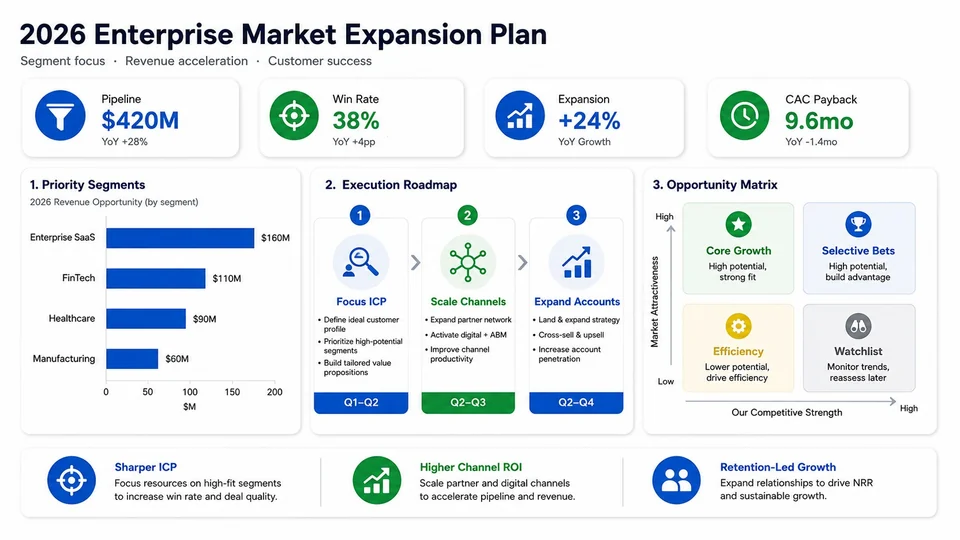
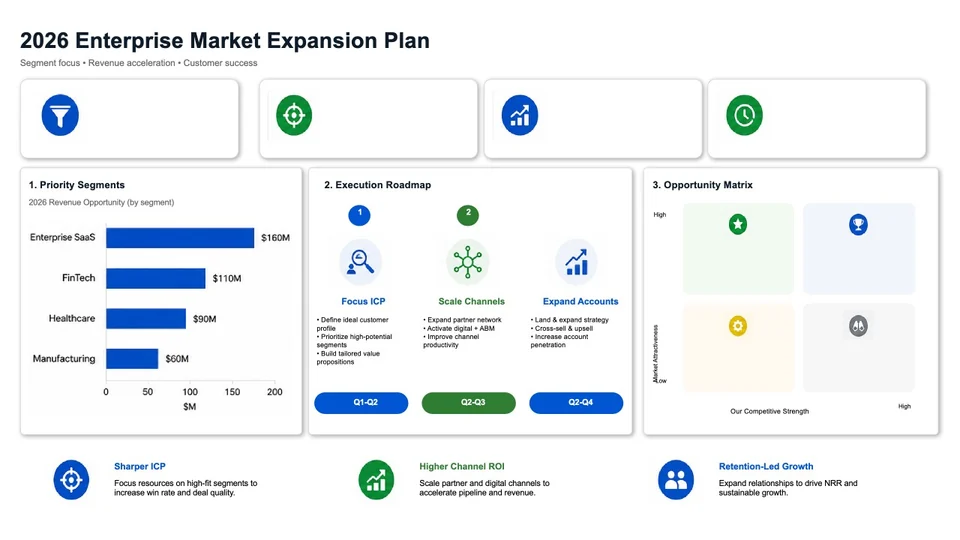
This generic AI-generated growth-plan slide demonstrates image conversion. The left image is the source; the right is a generated conversion preview. Download the corresponding sample PPTX to inspect its text and shapes.
Pricing
Pay as you go, no subscription. One credit converts one page, and credits you buy never expire. Three packs: $5.99 for 30 credits, $11.49 for 80, or $24.99 for 200, which works out to about $0.20, $0.14, or $0.12 per page. Prices are in USD and paid by card. New users get free credits on sign-in, valid for 7 days. See full pricing →
Convert an image, edit an existing deck, or rebuild a simple slide?
| Your starting point |
Save the image and convert it |
Edit an existing PPTX |
Rebuild a simple slide by hand |
| Best fit |
A slide image or screenshot with content you need to change |
A PPTX whose required text and objects are already editable |
A small amount of text and a few basic shapes |
| Next step |
Upload the image to Image2PPT and edit the resulting PPTX |
Open the original deck and change the required objects |
Add text boxes and shapes in PowerPoint |
| Layout and colors |
Rebuilt from the image in high fidelity |
Continue working in the original deck |
Set the layout and colors as you rebuild |
| Several pages |
Up to 50 pages merged into one PPTX |
Edit the slides in your existing deck |
Rebuild the pages you need |
Frequently asked questions
Can ChatGPT create an editable PowerPoint?
Yes. ChatGPT Slides can create and edit presentations and export PowerPoint files, and ChatGPT for PowerPoint works inside PowerPoint. Check the official help for access requirements. If your existing PPTX already lets you edit the content you need, use it directly. Image2PPT converts slide images and screenshots when those are the files you have.
Should I screenshot a ChatGPT presentation to convert it?
First check whether you can export an editable PPTX and change the content you need. If you already have only a slide image or screenshot, save it as a PNG or JPG and upload it to Image2PPT.
What about DALL-E or older GPT-4o images?
Same workflow. Any slide-style image works no matter which model made it, as a PNG, JPG, WEBP, or GIF.
Can I turn several ChatGPT slides into one deck?
Yes. Upload up to 50 pages in one job. Image2PPT converts each page and merges them into a single PPTX. One credit per page, and purchased credits never expire.
Will it keep my brand colors and fonts?
Colors are reproduced in high fidelity. Fonts are mapped to standard Office fonts (Calibri, Arial, Microsoft YaHei, SimSun). If your brand uses a specific typeface, switch to it after you open the PPTX.
Will the converted PPTX open in Google Slides?
Yes. The output is a standard PPTX. PowerPoint, Google Slides, Keynote, and LibreOffice Impress all open it with editable elements intact.
What happens to my uploaded ChatGPT slides?
Files are processed on Image2PPT's servers, and both the originals and the converted PPTX are kept until you delete them or close your account. A few narrow exceptions — enterprise API results, plugin uploads and complex pages on free accounts, uploads whose conversion never started, and clearing older files when storage runs short — are set out in the privacy policy. Files are not used to train any model.
What files can I upload, and how big can they be?
PNG, JPG, WEBP, GIF, and PDF, up to 35MB per file. Each conversion handles up to 50 pages, and a multi-page upload comes back as one PPTX.
Is there a free trial?
Yes. New users get free credits on first sign-in, valid for 7 days, so you can see how your own slides come out before buying a pack. No subscription, and purchased credits never expire.
Is there a ChatGPT plugin or API?
Yes. The public Image2PPT API can batch-convert ChatGPT-generated images into editable PPTX files, and you can connect Image2PPT in ChatGPT developer mode (see the setup guide).
Turn your slide image into an editable PPTX
Upload a ChatGPT image, a screenshot, or a PDF and download a PowerPoint you can edit right away. New users get free credits to try it.
Convert an image now
Last updated 2026-11-14. Image2PPT is actively maintained — format support, conversion quality, and FAQ entries are refreshed based on user reports.