What works best?
Clear, straight-on 16:9 slides: reports, KPI dashboards, lesson slides, consulting-style pages, roadmaps, tables, and quarterly reviews. Screenshots and image-only PDF exports work too.
You built a deck in NotebookLM, ChatGPT, Gemini, or Canva, and it looks great — right up until you spot a typo. The export is a picture, so every word is stuck where it is. Image2PPT rebuilds those slide images as PowerPoint with high fidelity: text, shapes, and tables come back as native elements you can click into and change. That last step stops being a dead end.
Clear, straight-on 16:9 slides: reports, KPI dashboards, lesson slides, consulting-style pages, roadmaps, tables, and quarterly reviews. Screenshots and image-only PDF exports work too.
It looks fine on screen, but the moment someone asks for a newer number or a shorter headline, you're back to regenerating the whole slide and hoping nothing else changes. As a PPTX, it's just a quick edit.
Text, cards, tables, and structured layouts become editable elements. Complex icons, backgrounds, and decorative graphics stay as images where needed, so the slide still looks like the original.
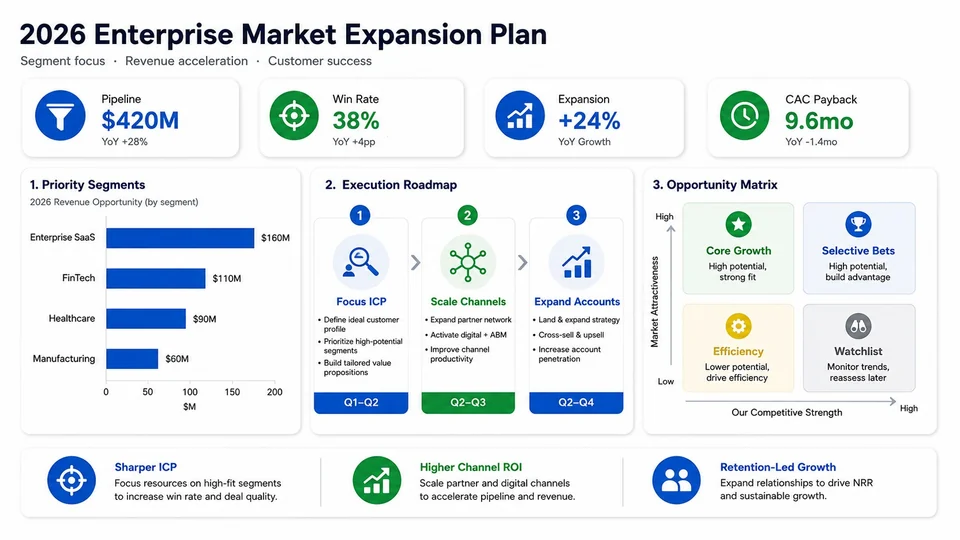
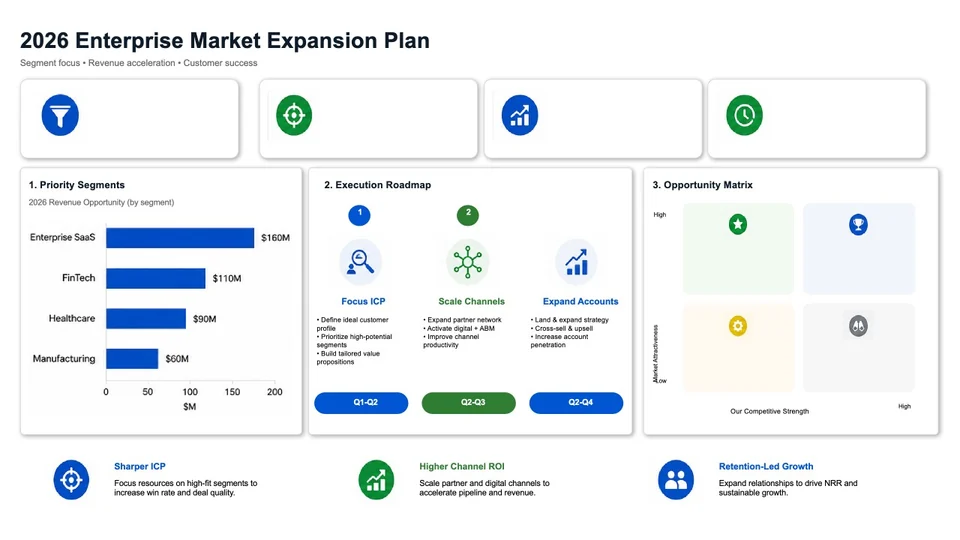
This growth-plan slide started life as an image-model output. We ran it through Image2PPT, and the right side is a preview of the PPTX it produced. Download the sample and try changing the headline yourself.
Ask ChatGPT, Gemini, or NotebookLM for the slide you want: title, KPIs, a chart, a table, your colors. Already have the image? Skip ahead.
PNG, JPG, WEBP, GIF, and PDF all work, up to 35MB per file. A single conversion handles up to 50 pages and merges them into one PPTX.
Open the PPTX and change whatever you need: copy, numbers, layout. No more rebuilding a slide by tracing over a picture.
Yes. If the image is clear, the text is readable, and the layout looks like a normal slide, Image2PPT turns it into a PPTX you can edit.
Yes. Image2PPT works from the image or PDF page itself, so it doesn't matter which tool made it. Results mostly depend on how clear the image is and how tidy the layout is.
An inserted image is still one flat picture — you can't change a single word. Image2PPT rebuilds the text, cards, charts, tables, and layout, so the file stays editable.
You pay per page: 1 credit converts 1 slide, and there's no subscription. 30 credits are $5.99, 80 are $11.49, and 200 are $24.99. Purchased credits never expire. New users get free credits on sign-in, valid for 7 days.
Yes. Image2PPT is also written as img2ppt or image2ppt; the official site is image2ppt.com. Other similarly named websites are not affiliated with us — look for the domain image2ppt.com.
Upload a screenshot, PDF, or AI slide image and download a PowerPoint you can edit right away. New users get free credits on sign-in, valid for 7 days.
Convert an image now