| Sign-in required to convert |
Yes, sign-in is required to run editable slide conversion. Separate browser-local tools (such as placing images into non-editable PPT slides, image/PPTX compression, and PDF to JPG) work without an account. |
Yes: the homepage has no upload box (the upload box is on /workspace). Selecting a file immediately opens the sign-in dialog (email or Google); no file is uploaded prior to sign-in. |
| New-user free allowance |
3 free credits on first sign-in (1 credit = 1 slide, valid for 7 days on accounts that have not purchased or redeemed credits; no card required). Pages flagged as complex require a paid account (any credit pack), still at 1 credit per page. |
3 free credits when you register on /workspace ("Sign in to get 3 free credits when you register"). |
| Published pricing & billing |
Pay-as-you-go credit packs, no subscription: 30 slides for $5.99 ($0.20/slide), 80 for $11.49 ($0.14/slide), or 200 for $24.99 ($0.12/slide). 1 credit = 1 slide; purchased credits remain valid long-term; failed slides refund automatically. |
Published directly on the homepage: Starter at $9/month (200 slides), Plus at $19/month (600 slides), and Lifetime at $149 one-time (listed original price $199; unlimited offline desktop app + 10,000 web/extension slides across 3 devices). |
| Supported inputs |
PNG, JPG, WebP, GIF, and PDF up to 35 MB per file, plus direct upload of image-only PPTX files up to 150 MB (browser reads locally and skips already-editable slides). Up to 50 pages per job, merged into one PPTX; PDF page-range selection supported. No video input. |
Images, PDFs, and videos (MP4, WebM, MOV — extracts slides from recorded lectures or meetings). |
| Output & editable elements |
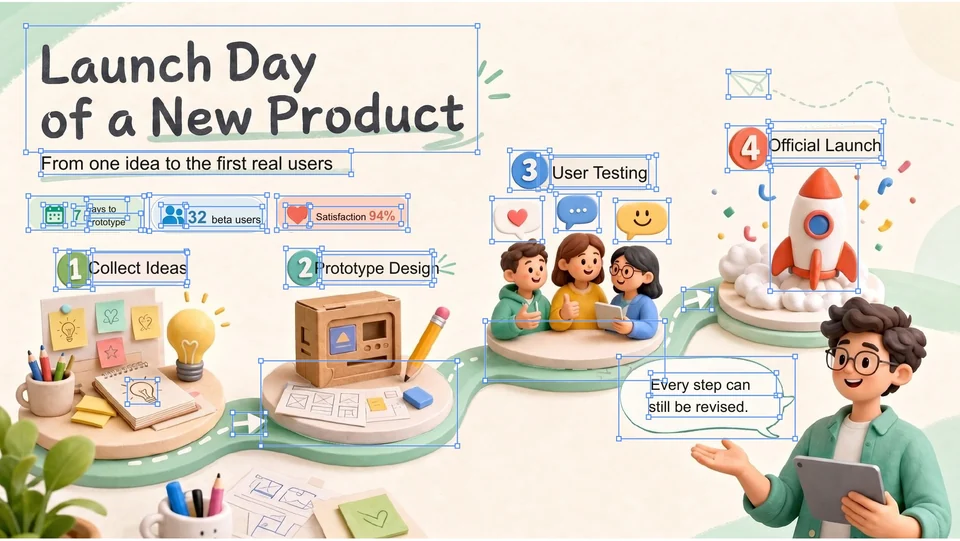
Standard .pptx (opens in PowerPoint, Google Slides, Keynote, and LibreOffice Impress). Headlines, body text, numbers, and labels become native editable text boxes; suitable simple shapes (cards, rounded boxes, arrows, callouts) and structured tables become native PowerPoint shapes and tables; photos, detailed icons, and complex illustrations stay as crisp embedded images. |
Editable PPTX that can be exported as PPTX or opened in Google Slides (homepage describes font and color matching). Also offers image-to-PSD conversion and NotebookLM watermark removal. |
| Languages |
4 interface languages (English, Simplified Chinese, Traditional Chinese, Japanese). Rebuilds slide text across English, Chinese (Simplified and Traditional), Japanese, Korean, major European languages, and right-to-left scripts such as Arabic and Hebrew. |
English interface (hreflang declares en; no language switcher). |
| Other entry points & tools |
Web app, public REST API (/api/v1) with official Python (image2ppt) and Node.js SDKs sharing the same credit balance (no separate enterprise plan), MCP integration for Codex App / ChatGPT developer mode / CLI, plus free local browser utilities. Hosted cloud web service (no offline desktop app or Figma plugin). |
Offline desktop app (processes locally without cloud uploads, included with Lifetime plan), Chrome extension, web workspace (/workspace), image-to-PSD converter, and NotebookLM watermark removal. |