Existing decks
Use screenshots when you only have slide images, exports, or an old deck preview.
A screenshot is a locked bitmap. You can present it, but you cannot click a paragraph, change a number, or move a table cell. Image2PPT converts slide screenshots into PPTX files where the important text and layout blocks are editable again.
Use screenshots when you only have slide images, exports, or an old deck preview.
Screenshot output from ChatGPT, GPT Image 2, Gemini, Claude artifacts, or other visual tools.
Rebuild KPI cards, tables, labels, and common business-slide structures for editing.
The conversion works best when the screenshot looks like a clean presentation page. The sample below shows a source slide image and the converted PPTX preview.
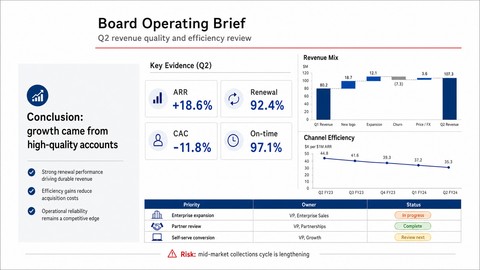
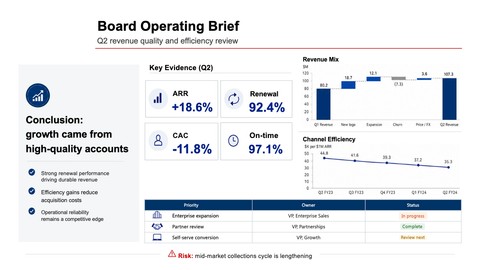
Take a clear screenshot with one slide per image, upload it to Image2PPT, and download the rebuilt PPTX. The screenshot is analyzed and reconstructed as editable PowerPoint elements where feasible.
Front-facing screenshots with readable text, good contrast, and a slide-like layout convert best. Avoid perspective photos, blur, heavy compression, and multiple slides in one screenshot.
Readable screenshot text is rebuilt as PowerPoint text boxes when possible. Dense charts, photos, or decorative artwork may remain as image elements.
Yes. The main app supports pasted clipboard images in modern browsers. You can also upload PNG, JPG, or WebP files.
Yes. Upload up to 50 images or PDF pages in one job and Image2PPT assembles the output into a single PPTX.
Chart labels and nearby text may be rebuilt, but complex chart artwork may remain as an image when that gives a cleaner result.
Upload a screenshot, PDF, or AI slide image and download a PowerPoint you can edit right away. New users get free credits to try it.
Convert an image now