AI slide PDFs
Convert PDFs exported from NotebookLM or other AI slide workflows when the content is locked.
A PDF deck is often just pages, not editable slides. When your PDF came from NotebookLM, an AI slide tool, a screenshot export, or a scanned presentation, PowerPoint may not let you edit the content. Image2PPT converts PDF pages into a PPTX deck with editable text, shapes, and tables where possible.
Convert PDFs exported from NotebookLM or other AI slide workflows when the content is locked.
Convert only the pages you need instead of paying for a whole PDF deck.
Recover real text boxes, layout shapes, tables, and structured business-slide regions.
The same reconstruction pipeline used for screenshots is applied page by page to PDFs. Clear, slide-like pages produce the most editable output.
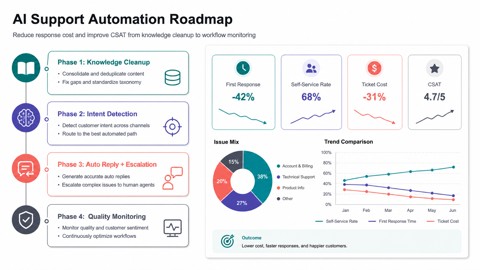
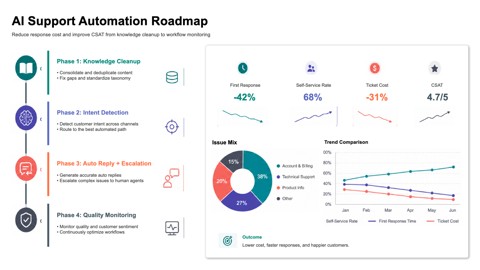
Image2PPT is designed for image-like slide pages. If your PDF already contains real text, some traditional PDF-to-PPT tools may work. If the page is visually locked or image-based, Image2PPT is the right path.
One job can include up to 50 image files or PDF pages. Page-range selection lets you convert only the pages you need.
No. Image2PPT prioritizes readable text and structured slide elements. Complex diagrams, artwork, or photos may remain as images when that is the cleaner result.